Value ranges
Description
Value ranges define the color to display when the control's value is within a specified range.
Discussion
Enter a list of ranges (one range per line). For each range, you can specify the color to use for the semi-circle display.
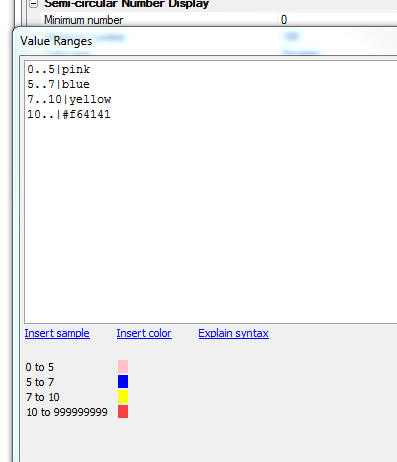
For example:
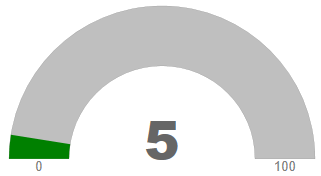
0..10|green
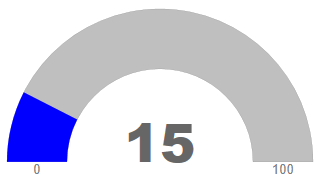
10..20|blue
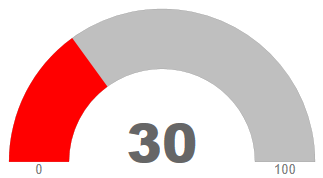
20..100|red
The above definition would be interpreted as follows: If the value is between 0 and 10, use 'green'.
If the value is between 10 and 20, use 'blue'.
If the value is between 20 and 100, use 'red'.
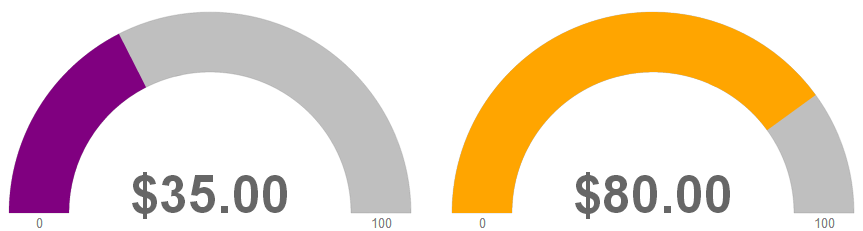
To specify all values above or below a specific value, you can omit the minimum or maximum value. For example, the ranges below define all values greater than or equal to 50 as 'orange' while all values less than 50 will be 'purple':
..50|purple
50..|orange
See Also